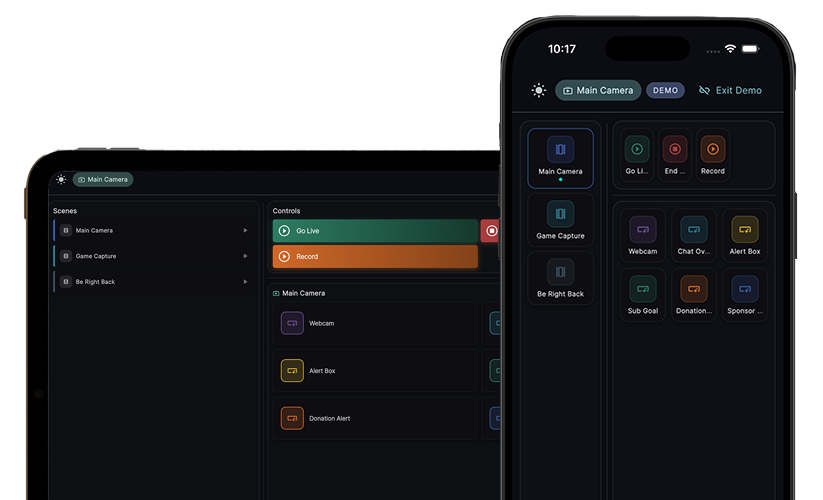
One screen. See everything.
Live chat from Twitch and Kick, right in Stream Craftr
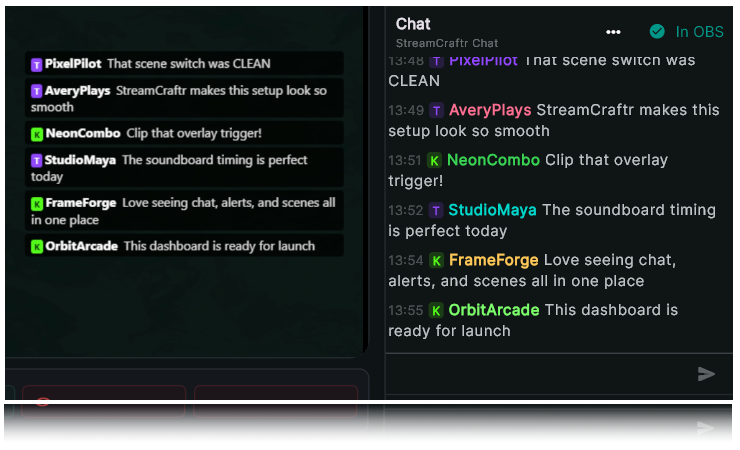
Not only can you see your combined chats from Twitch and Kick in the same window you use to control your stream, but you can also add that chat to your stream with a couple of clicks.
see chat. add chat.
View your live chat feeds and add them to your scene.
After signing into Twitch and/or Kick, your chat feed will be available to view (you'll also be able to see some nifty stream statistics). You can then take that chat stream, and add it to one of your scenes like "Just Chatting" with a click of a button.
No 3rd Pafty Software
It's native in Stream Craftr and chat messages can be used as triggers.
Chat integration with polling
Your viewers can use Twitch/Kick chat to vote in custom polls
All in one place
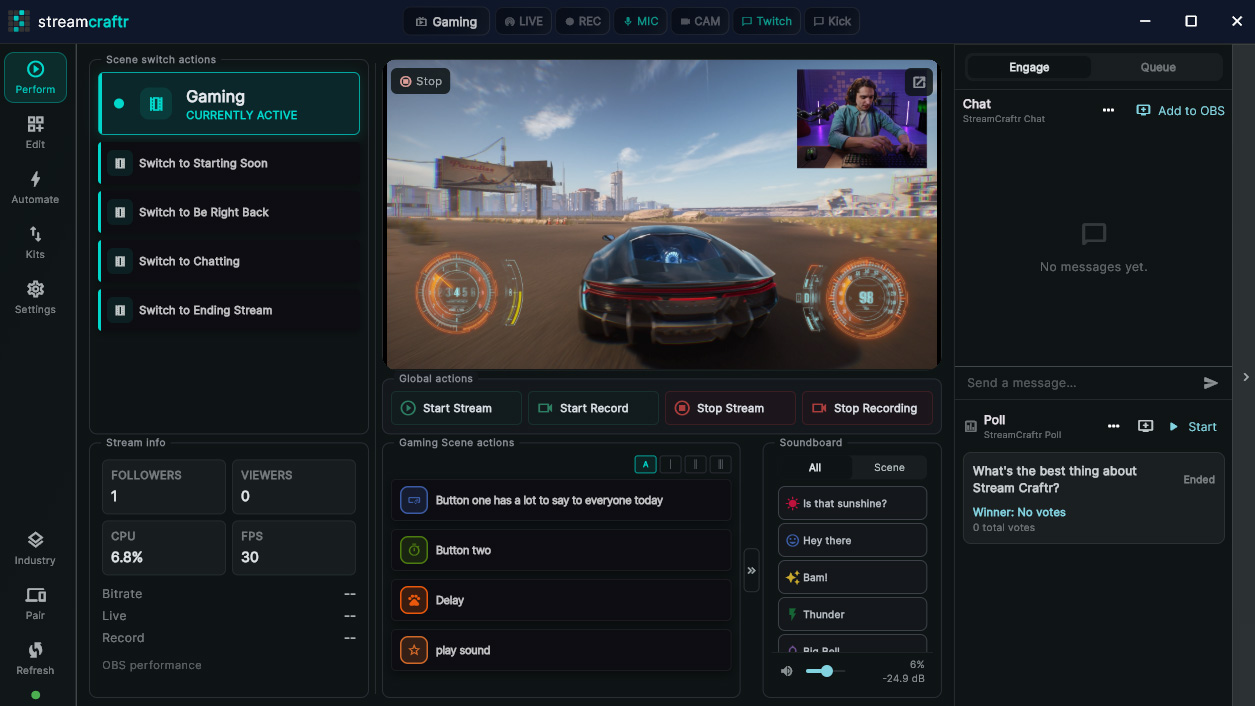
Chats, polls, actions and stream organized onto a single screen
chat where you eat
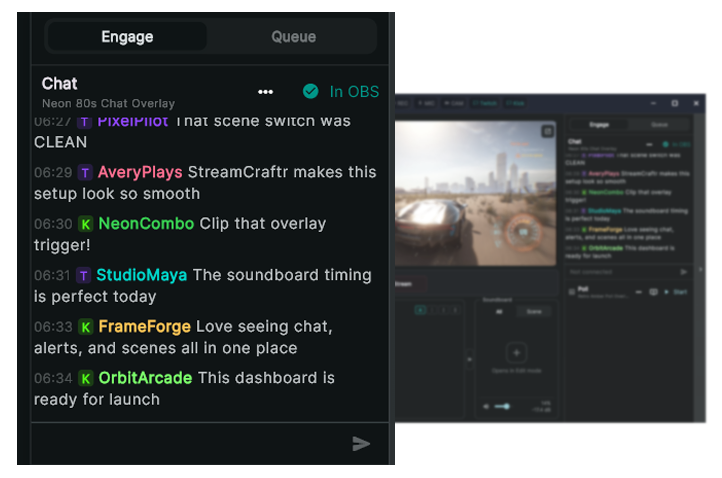
View live chat without managing windows
Stream Craftr makes it easy for you to see your live chats, or tuck them away if you need more screen space to run your stream. All chat messages are labelled by site, so you can see if your chat messages are coming from Twitch or Kick.
When chatting with your viewers from Stream Craftr, all connected sites will get your messages. If you have both Twitch and Kick connected, viewers on both sites will see your messages.
Match your style
Customize the way viewers see your chats
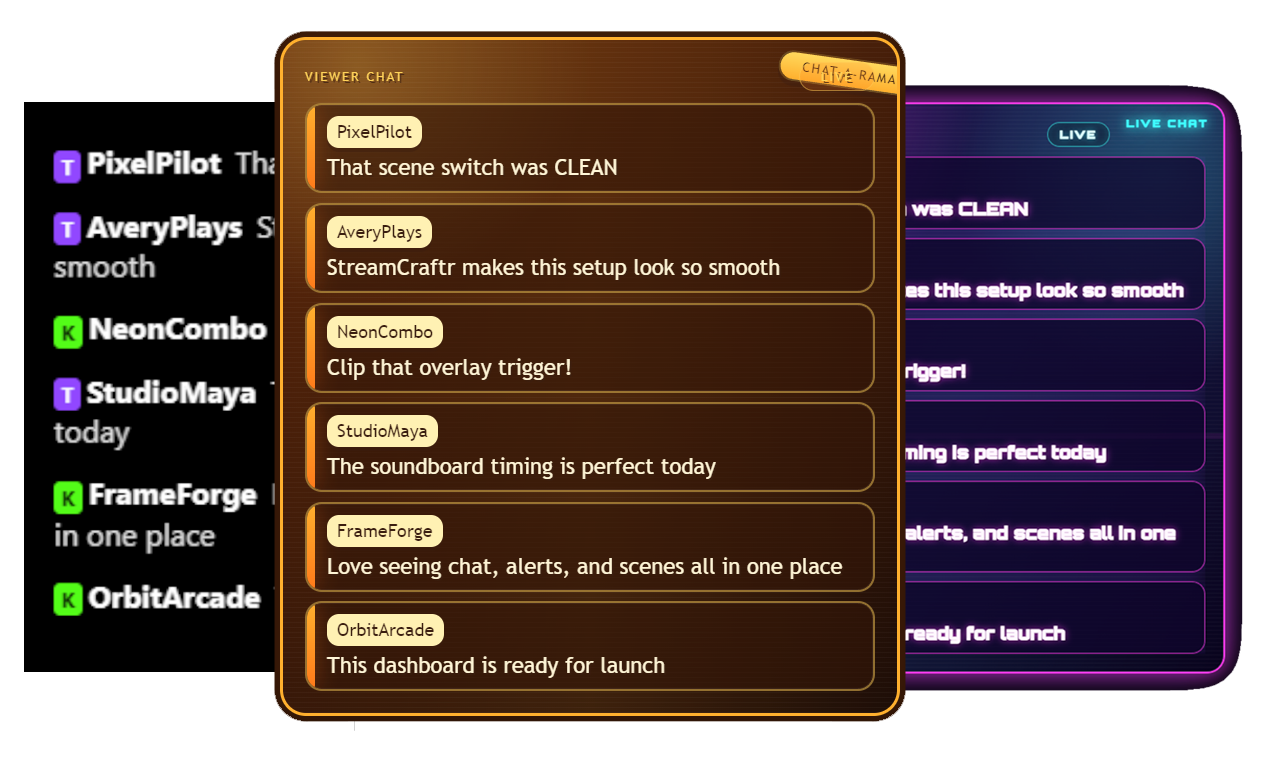
Chats displayed in your stream can be customized to match your style using unique browser sources. Follow directions to make your own or give the directions to an AI agent and have them code it for you. Stream Craftr comes pre-installed with a default look.
From Here to There
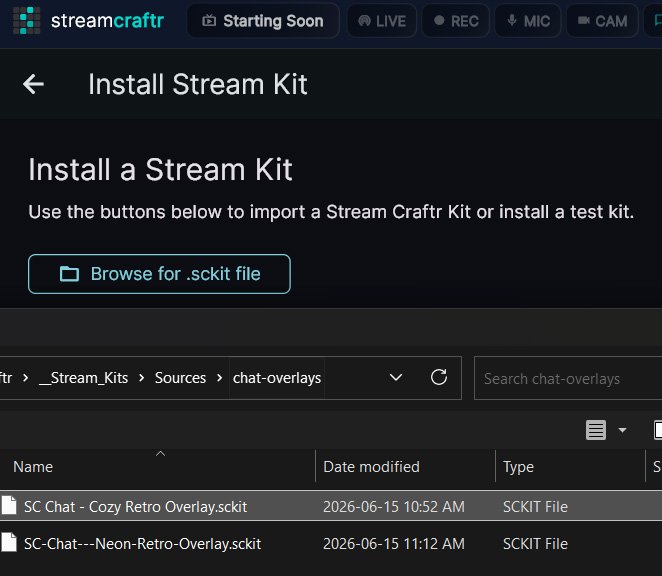
Use Stream Kits to import / export customized chats
Not only can you customize your chats to match your style, you can also import other users' chats and export the ones you make. Share your creations for other Stream Craftr users to use on their own stream!
Words have power
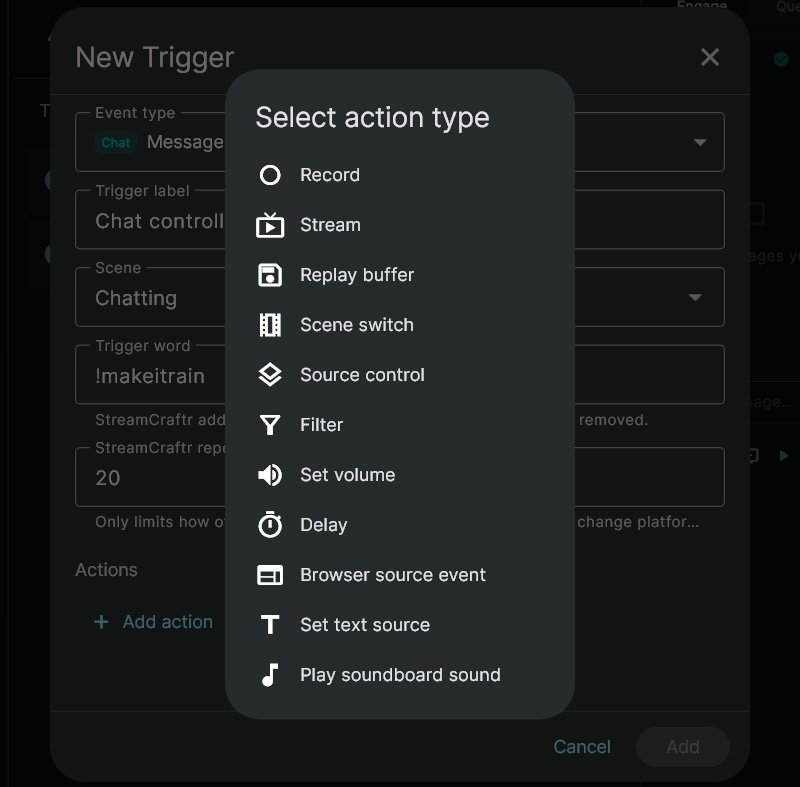
Allow your viewers to control your stream with chat messages
Increase viewer engagement by setting up automated actions in Stream Craftr that can be activated by chat message. Show/play/hide sources, toggle filters and control browser sources, all with an easy to use interface.
Yes, Yes, No, Yes...
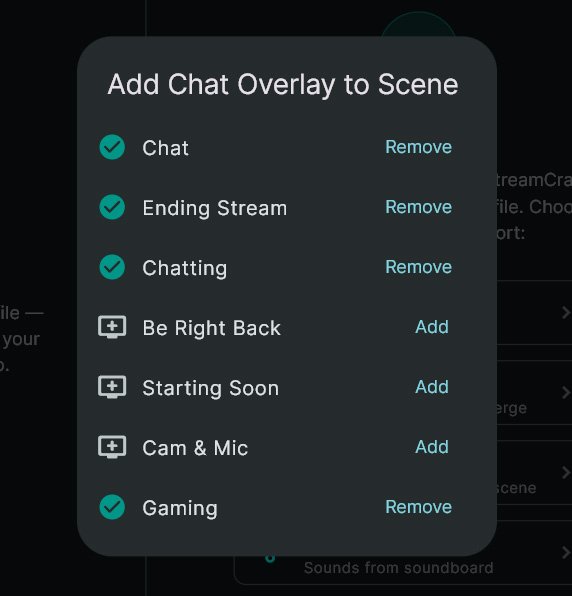
Easily add your live chat output to your scenes
Your live chat output can be added or removed from any of your connected OBS scenes from a simple modal. Get instant visual feedback as you make changes to your chat's visibility across your stream.
download
Download Stream Craftr
Desktop app
Windows
Stream Craftr
Get the main Stream Craftr app for free.
Available on Windows 10/11 and macOS

Mobile App
iPhone / ipad
Stream Craftr Companion
Control your stream from your iPhone or iPad. Runs alongside Stream Craftr for mobile control.
One time payment (no ads or purchases)