Stream setup, sorted.
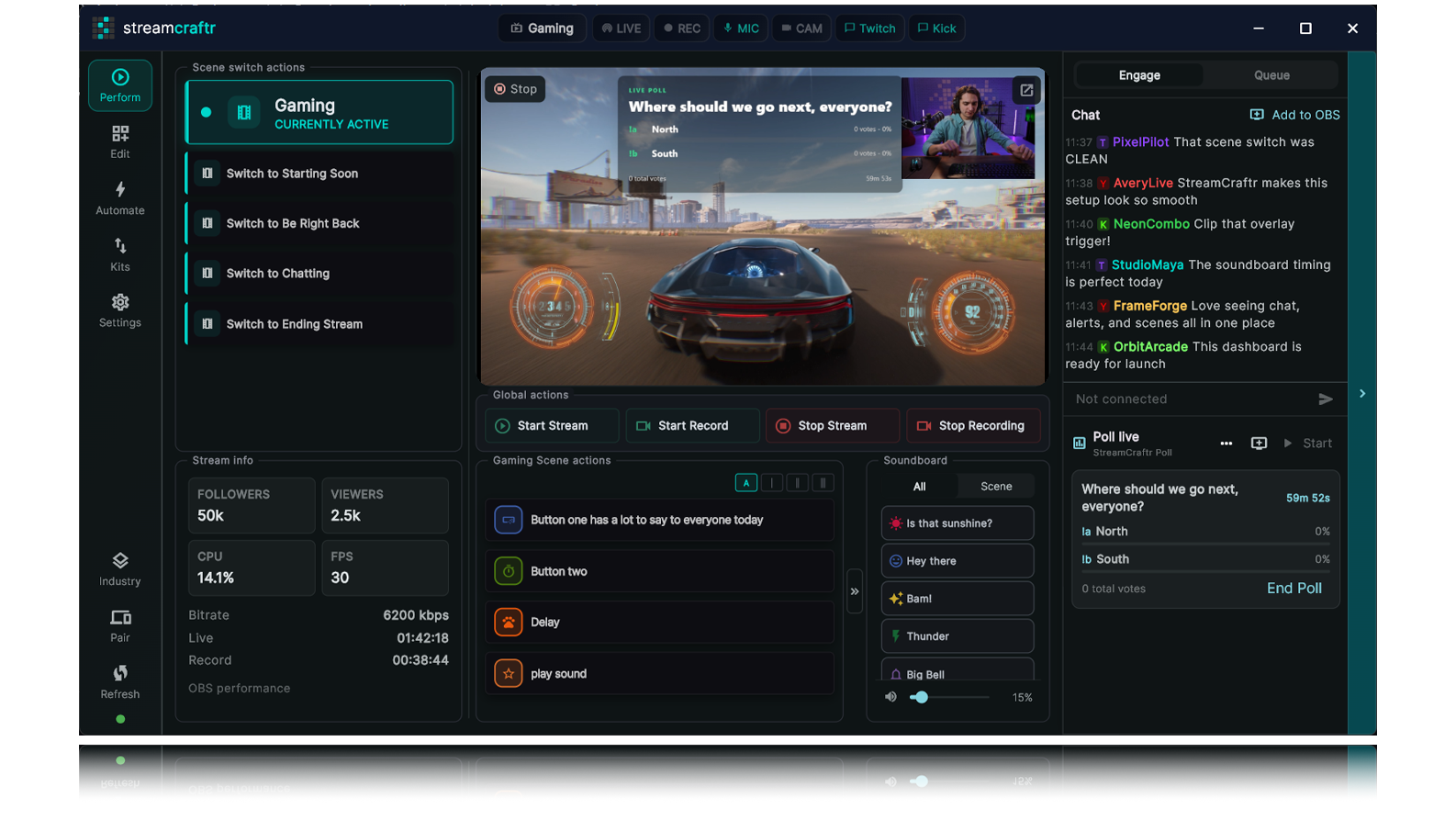
Stream Craftr is an OBS control panel for custom buttons, soundboards, overlays, and stream automation.
works with


OBS Studio
$0
Stream Craftr is free
Beautiful
streaming setup in minutes
Powerful
integration
How Stream Craftr Can help
Forget about setup and just stream with ease
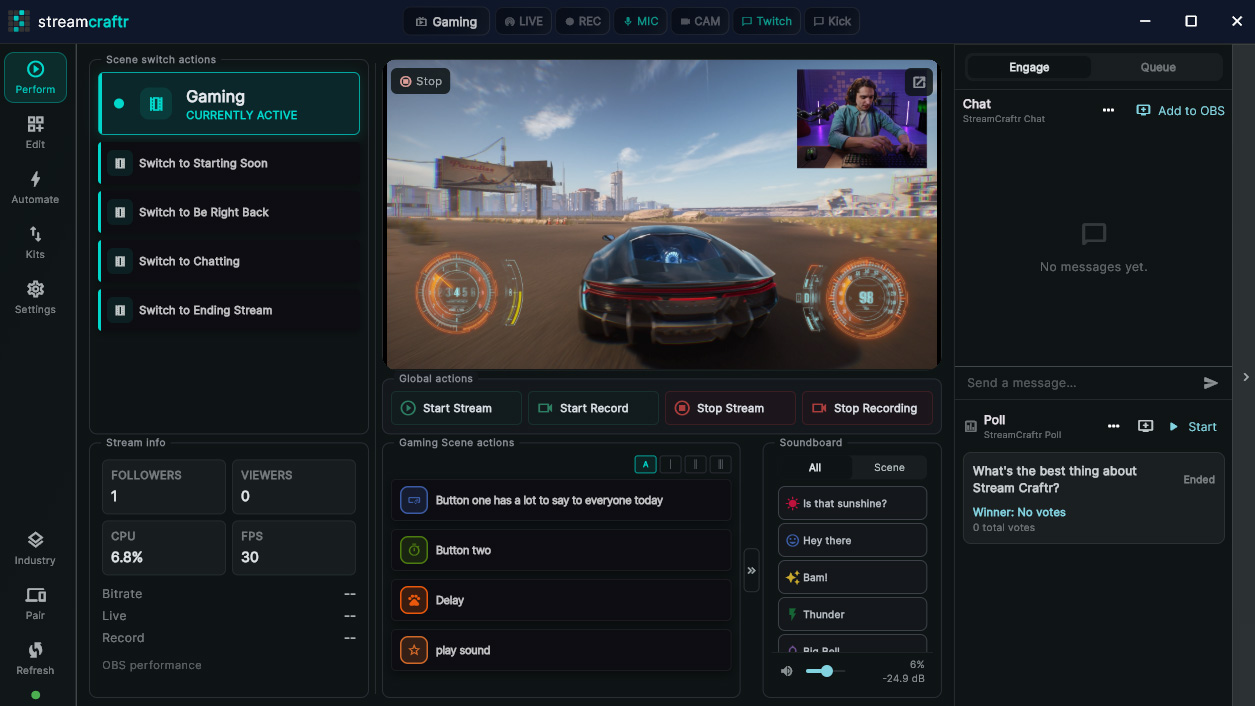
Import an entire OBS setup, complete with sources, overlays, actions and automations, all with a couple of clicks. See all the ways Stream Craftr can functions as an OBS Control Panel.
Control OBS
Easily connect to OBS through websockets and gain access to all of OBS functionality. Use that access to create buttons and build action flows.
Powerful Macros
Chain scene switches, delays, media plays, and source toggles into a single button press. Build your entire stream flow in advance.
Stream Integration
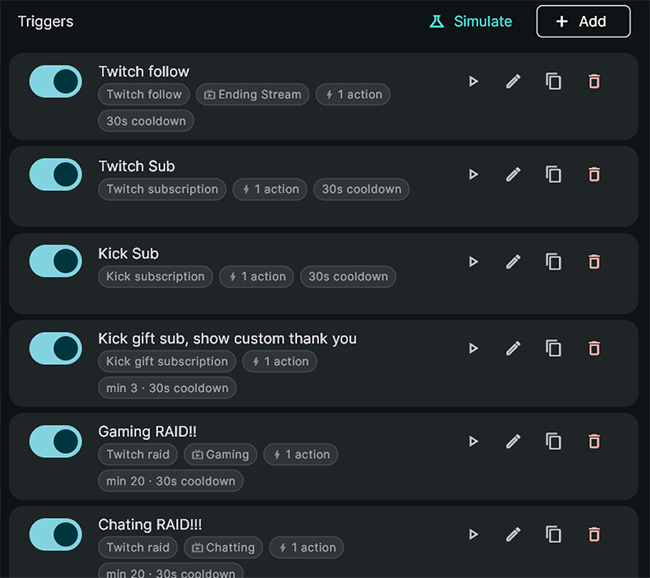
See your chat and trigger macros across Twitch and Kick. Events like follow, new sub or incoming raid can trigger anything.
Chats / Polling
Poll your viewers and increase your engagement through Stream Craftr's built in polling system based on chat votes.
Give and take
Download a Stream Craftr Kit and start streaming in minutes.
Stream Craftr Kits make it incredibly easy for users to create, use and share Stream Craftr / OBS sources, scenes or even entire scene collections! Try out the layout that ships with Stream Craftr.
see chat. add chat.
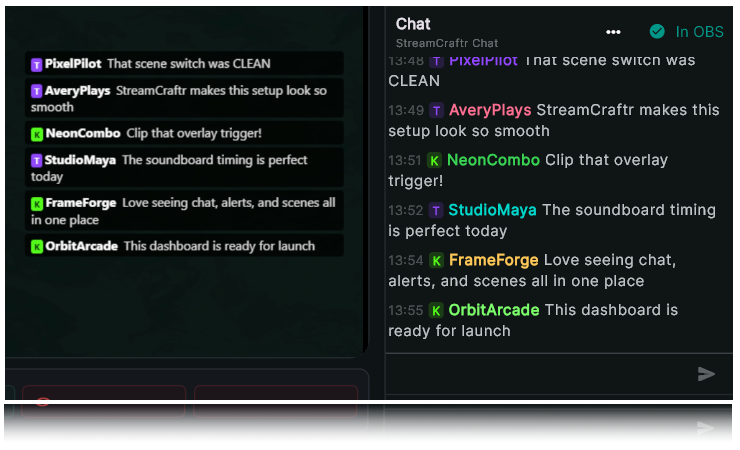
View your live chat feeds and add them to your scene.
After signing into Twitch and/or Kick, your chat feed will be available to view (you'll also be able to see some nifty stream statistics). You can then take that chat stream, and add it to one of your scenes like "Just Chatting" with a click of a button. Learn more about live chat.
I know what you're thinking...
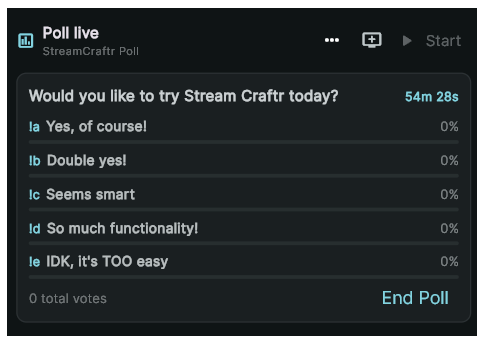
Build, execute and run polls without leaving Stream Craftr
Configure and run live polling right from Stream Craftr. You can import new overlays for a fresh look or use Stream Cratr's built in polling right out of the box! These built in features make Stream Craftr an amazing stream deck alternative.
Don't hate, integrate and automate
Stream Craftr can trigger almost anything automatically
By integrating with Twitch and Kick Stream Craftr can sense new events then you decide what happens. Learn more about what you can control using Stream Craftr's OBS Control Panel.
They can hear you...
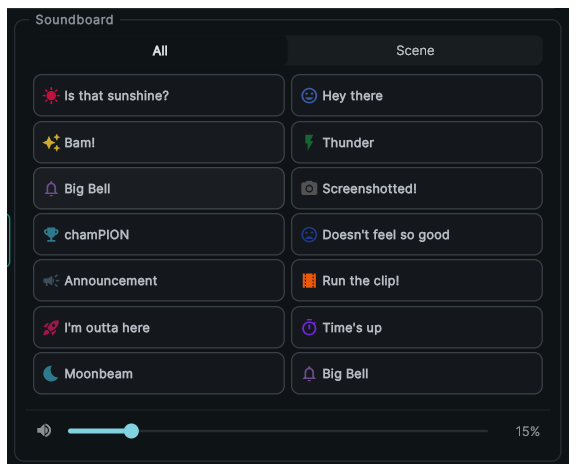
Build, execute and automate your own soundboard directly in Stream Craftr
Stream Craftr uses a custom Browser source within OBS to play your curated sounds on press, or if someone completes an action like subscribing or following. Import and Export your soundboards using Stream Craftr Kits.
Everybody needs a friend
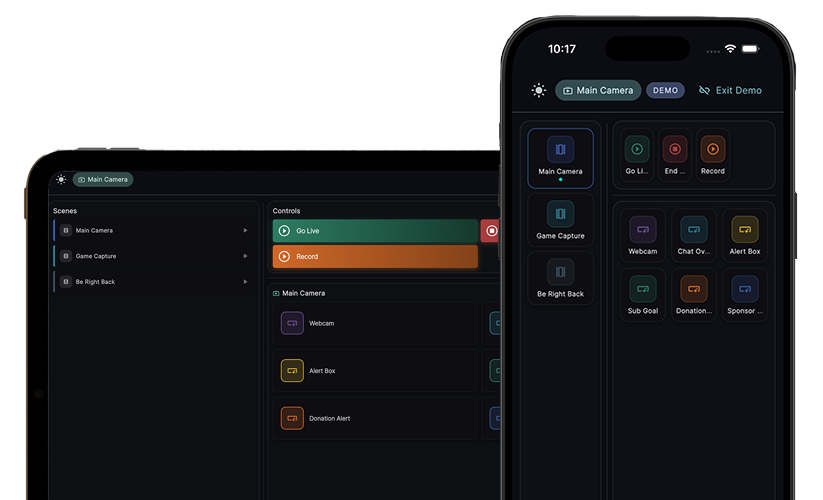
Control your stream with Stream Craftr Companion
No new hardware needed. Control your stream from an iPhone or iPad on your local network. And you don't have to duplicate your work. Stream Craftr companion reads all it needs to know from Stream Craftr itself.
Getting started
Three steps to going live
1
Connect
Connect to OBS in seconds
Open Stream Craftr, enter your OBS WebSocket URL and password, and you're connected. The status bar instantly shows your connection state, current scene, and available transitions.
2
Build / Import
Build your control board
Add buttons for your scenes, overlays, and macros. Choose your colors and labels. Or import the included Stream Craftr demo Collection and let Stream Craftr do the work.
3
Stream
Go live and stay in control
Hit the stream button and run your show from your custom board. Switch scenes, fire overlays, and trigger powerful macros without touching OBS directly.
Quick FAQ
Get answers
What does Stream Craftr do?
Stream Craftr helps streamers create beautiful, emmersive OBS streams without having to install several plugins or 3rd party apps. Users can import/export OBS setups to share with other users. Import an entire OBS Scene Colleciton, a single scene, or even a single OBS source.
Who is Stream Craftr for?
Stream Craftr is for streamers who want to enhance their stream without all the complicated setup. It provides an alternative to purchasing hardware if they're not quite sure streaming is worth the investment. It also covers a lot of the "advanced" streaming capabilities like polling, soundboards and automation, so, you might just keep using it.
Is Stream Craftr free?
Yes. Stream Craftr is completely free, no ads. Stream Craftr Companion, the iPad companion app, is a one time payment app, no ads.
Still have questions? View the full Stream Craftr FAQ page.
download
Download Stream Craftr
Desktop app
Windows
Stream Craftr
Get the main Stream Craftr app for free.
Available on Windows 10/11 and macOS

Mobile App
iPhone / ipad
Stream Craftr Companion
Control your stream from your iPhone or iPad. Runs alongside Stream Craftr for mobile control.
One time payment (no ads or purchases)