A Different Way
A Stream Deck Alternative for OBS Creators
No dedicated hardware
Run on what you already own
Powerful portability
Import setups with resources
Twitch/Kick automation
Triggers, chat, and rewards.
One device vs every device
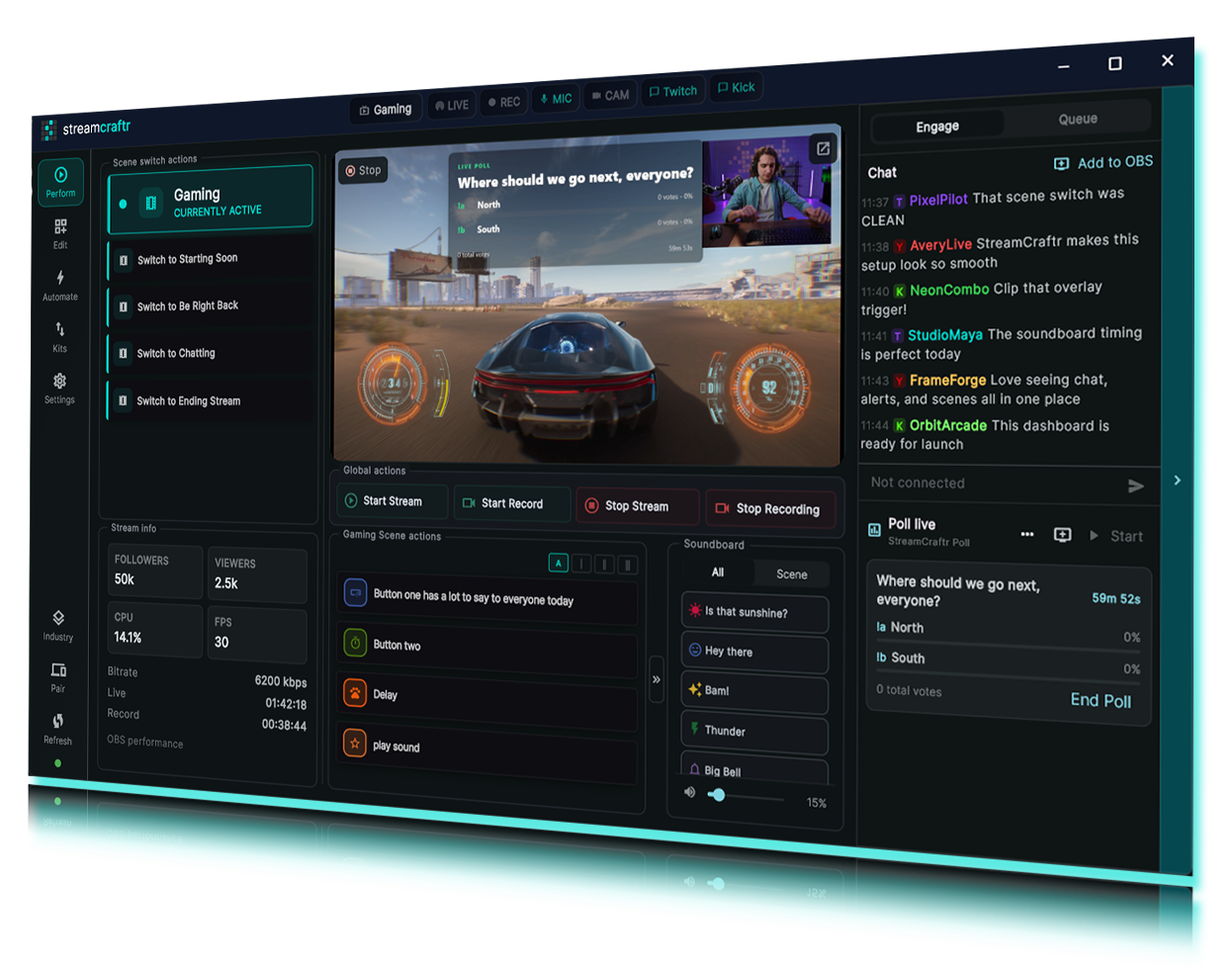
Stream Deck is a strong choice when you want physical keys and broad plugin support. Stream Craftr is different: it is an OBS-focused software control panel designed around scenes, sources, layouts, kits, soundboards, and stream automation.
If you want control without buying dedicated hardware, Stream Craftr lets you build or import stream controls on supported devices and keep your setup centered around OBS.
| Stream Deck | Stream Craftr | |
|---|---|---|
| Best fit | Tactile hardware control and broad plugin workflows. | OBS-focused software controls, stream kits, soundboards, and automation without buying dedicated hardware. |
| Main approach | Physical control surface, with a mobile app option also available. | Software-first OBS control panel for desktop and companion devices. |
| Hardware required | Required for physical Stream Deck devices; mobile app available separately. | No dedicated hardware required. |
| OBS workflow setup | Build layouts manually or install shared profiles and plugins. | Import a Stream Craftr kit or build custom OBS controls. |
| Kit/setup portability | Profiles can share button layouts and actions, but OBS scenes and sources usually need to exist separately. | Stream Craftr kits are built to package OBS-facing setup with the controls. |
| Twitch/Kick automation | Available through plugins; support varies by platform and integration. | Built into Stream Craftr where supported. |
| Expanding your setup | Add another hardware device or use Stream Deck Mobile. | Use another supported Stream Craftr device or screen. |
From zero to a full control surface, imported, not built.
Your whole setup, one file
Stream Craftr kits make your setup portable. Instead of sharing screenshots, notes, and a long list of OBS instructions, you can package the control layout, macros, overlay controls, and related assets into one importable kit.
Import community kits in seconds
Import and stream
Share entire OBS Scene Collections
Including all resources, all in one file
Share manual and automated actions
Export all Stream Craftr actions
Made for OBS, Twitch, and Kick, not retrofitted
Stream Deck is powerful because it can control almost anything. Stream Craftr is different because it is built around the streaming workflow itself: OBS control, stream kits, overlays, soundboards, Twitch and Kick automation, configurable chat triggers, and event-triggered macros are part of the app from the start.
OBS-native control
Scene switching and macros talk directly to OBS via WebSocket. No middleware.
Chat-driven automation
Twitch and Kick chat commands trigger real actions in your stream, out of the box.
Event triggers
Follows, subs, bits, and raids fire macros automatically.
Common questions
Do I need to buy anything?
No, Stream Craftr is free to download and use. Dowload Stream Craftr
Is this only for OBS?
Yes. Stream Craftr requires OBS Studio to be installed and open.
What is a Stream Kit?
A kit is a complete, shareable control setup, packaging scenes, macros, overlays, and automations into one `.sckitlisting` file you can import in seconds.
Import sources, scenes, or even entire scene collections.
Try Stream Craftr Before Buying More Hardware
If you’re looking for a Stream Deck alternative, start with the setup you already own. Download Stream Craftr, import a kit, and see how software-first OBS control fits your stream.